

Is your Google Business Profile working for you, or just… existing? If you’re not actively optimizing it, you’re leaving customers and cash on the table for your competitors. Use this simple, step-by-step audit to find and fix critical errors on your Google Business Profile and start winning more local customers today.
Think of your Google Business Profile (GBP) as your new digital storefront. It’s often the very first impression a potential customer has of your brand. A quick, regular audit helps you find missed opportunities, fix costly errors, and stop guessing about what works. This powerful checklist is your roadmap to climbing the local search rankings and turning searchers into loyal customers.
Getting started is simple. Before you dive in, make sure you have the following:
These are the absolute essentials Google uses to understand and rank your business. Getting these details right is non-negotiable, as accuracy and consistency are critical for building trust with both Google and your customers. Nail these foundational elements before moving on to anything else.
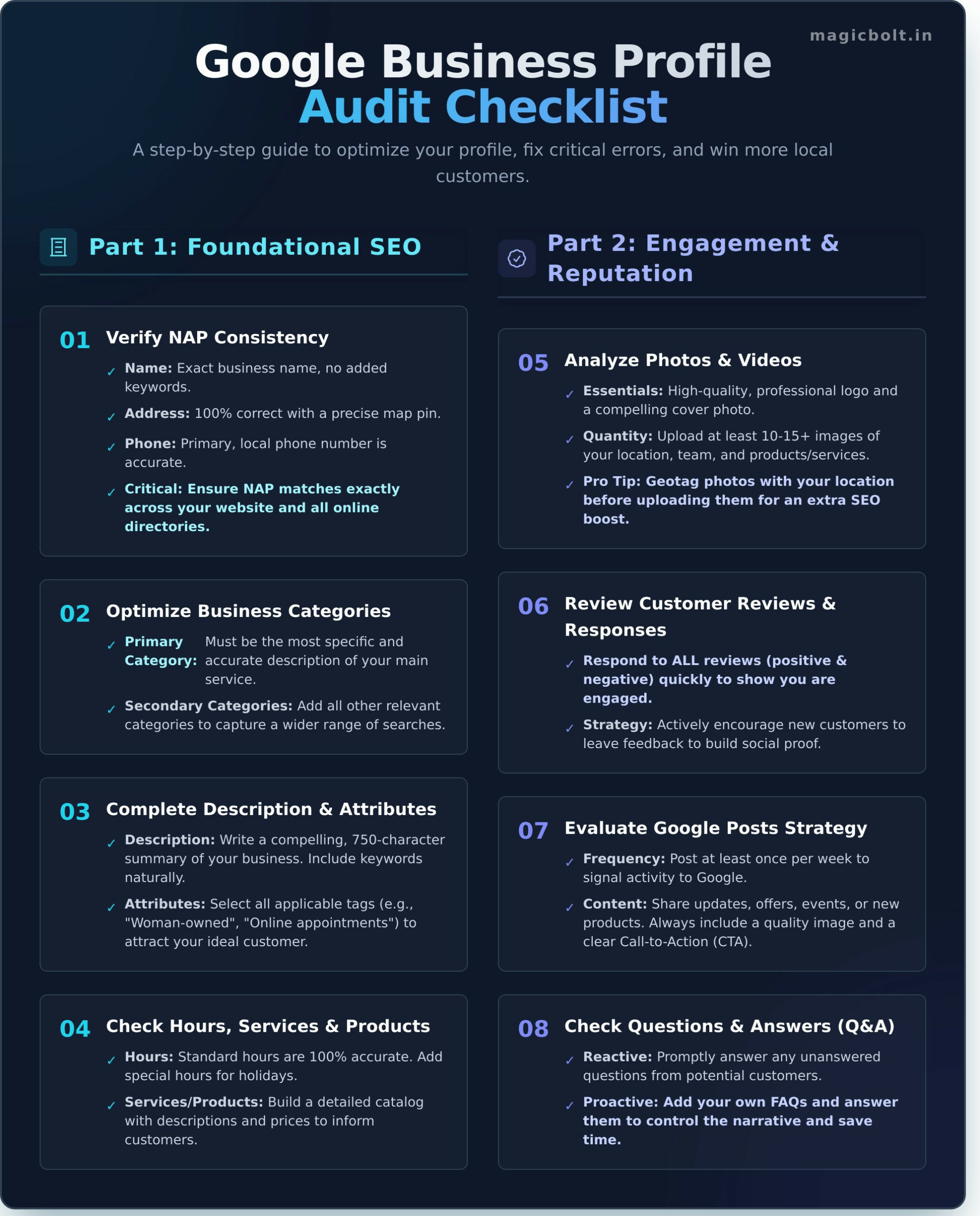
Your NAP (Name, Address, Phone) is the cornerstone of local SEO. Inconsistency confuses Google and erodes customer trust. Go through your profile and ask:
Categories are a major ranking factor that tells Google what your business *actually does*. Your primary category is the most important choice you’ll make. Ensure it’s the most specific and accurate description of your main service. Then, add all relevant secondary categories to capture other services you offer. Don’t skip this—it directly impacts the searches you show up for.
Your business description is your 750-character elevator pitch. Write a compelling, keyword-rich summary of who you are, what you do, and why customers should choose you. After that, dive into Attributes. These are specific tags that give customers quick insights. Select all that apply, such as “Woman-owned,” “Wheelchair accessible,” or “Online appointments” to attract your ideal customer.
Incorrect hours are a fast way to lose a customer forever. Ensure your standard business hours are 100% accurate, and proactively add special hours for upcoming holidays. Use the “Services” and “Products” sections to build a detailed catalog of what you offer, complete with descriptions and even prices. Keeping this information fresh can feel like a chore, but it’s crucial. Thankfully, MagicBolt automates profile updates, so you can set it and forget it.
Once your foundation is solid, it’s time to show Google that your business is active and engaged. These signals build trust with customers and prove your relevance to the algorithm. An active, updated profile will almost always outrank a static, neglected one.
Customers buy with their eyes. Your profile should have a high-quality, professional logo and a compelling cover photo that represents your brand. Go further by adding at least 10-15 images of your location (inside and out), your team at work, and your products or services. For an extra SEO boost, geotag your photos with your location before uploading them.
Reviews are the lifeblood of local businesses. Your audit should confirm you are responding to *all* reviews—both positive and negative. A fast response time shows you care and are engaged. Actively encourage new customers to leave feedback to build a steady stream of fresh, positive social proof. It can be time-consuming, but you can reply to all reviews instantly with AI and never miss one again.
Google Posts are like free mini-ads that appear directly on your profile. You should be posting at least once a week to share updates, highlight offers, announce events, or feature new products. Every post is an opportunity to grab attention, so always include a high-quality image and a clear call-to-action (CTA) like “Learn More,” “Call Now,” or “Buy.”
The Q&A section is often overlooked but is a goldmine for customer engagement. Check if there are any unanswered questions from potential customers and answer them promptly. Better yet, be proactive! Add your own frequently asked questions and answer them yourself. This helps you control the narrative, manage customer expectations, and save your team time.
Yes, creating and managing a Google Business Profile is completely free. It is one of the most powerful free marketing tools available to local businesses.
A full audit should be done quarterly to ensure all information is up-to-date. However, you should be checking key elements like reviews, posts, and Q&A on a weekly basis.
This could be due to several reasons, including an unverified profile, inconsistent NAP information, the wrong business categories, or a lack of authority compared to your competitors.
Yes, you can edit your business name, but it must be your true, real-world business name. Adding keywords or locations to your name is against Google’s guidelines and can lead to suspension.
The best way is to ask! You can share your review link via email, text message, or on receipts. Tools like MagicBolt can also help by generating a “Magic QR” code that takes customers directly to your review page.
They are the same thing. Google rebranded “Google My Business” (GMB) to “Google Business Profile” (GBP) in 2021. The name changed, but the purpose remains the same.
Completing this audit is the first step toward transforming your Google Business Profile from a simple listing into a powerful customer acquisition machine. By systematically optimizing your information and engagement signals, you are telling Google that you are the best, most relevant answer for local searches. While you can do this all manually, automation is the key to consistency and growth. MagicBolt is designed to automate your review replies, schedule your posts, and supercharge your local SEO so you can focus on running your business. Ready to supercharge your profile? Get your free MagicBolt account now!

Made in India
