WhatsApp API CRM automation white-label software for agencies
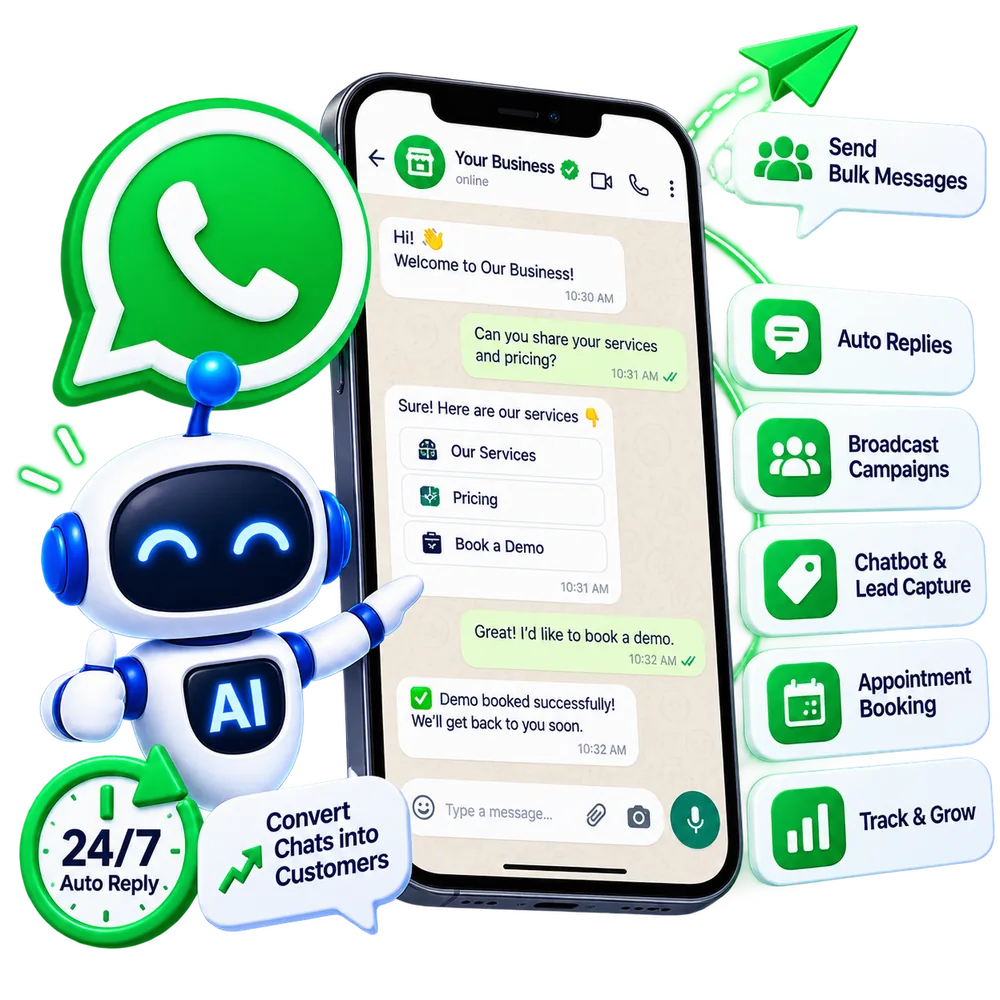
Run every client's WhatsApp from one inbox on the official WhatsApp Cloud API. Reply 24/7, broadcast offers, capture every enquiry as a lead and book appointments inside the chat. Resell it to your clients under your own brand, domain and prices.
- Official WhatsApp Cloud API
- Shared team inbox
- 24/7 auto replies
- Leads and bookings in one place
See WhatsApp API CRM in action
What is WhatsApp API CRM?
A WhatsApp CRM built on the official WhatsApp Cloud API (powered by WayCRM): a shared team inbox, bulk messages and broadcast campaigns, 24/7 auto replies, a chatbot that captures leads and books appointments, plus lead management, follow-ups and campaign tracking.
Part of Agency OSWhat problems does it solve?
- 1
WhatsApp enquiries go unanswered and leads are lost - Answers WhatsApp chats around the clock, captures each enquiry as a lead and lets customers book inside the chat.
- 2
Leads are not followed up or qualified fast enough - Captures each enquiry as a lead and follows up with WhatsApp campaigns.
- 3
Sending offers and updates on WhatsApp one chat at a time - Sends bulk messages and broadcast campaigns to contact lists and tracks how they perform.
Who is it for?
- Digital marketing agency
- Freelancer / consultant
- Local business owner
What can WhatsApp API CRM do?
Shared Team Inbox
Your whole team answers customers from one WhatsApp number. Assign chats, see who replied and never lose a conversation.
Bulk Messages
Send one approved template to thousands of contacts at once instead of messaging chat by chat.
Broadcast Campaigns
Run offers, launches and follow-up campaigns to your contact lists, then see how each one performed.
24/7 Auto Replies
Customers get an instant answer even when your team is offline, triggered by the words they type.
Chatbot & Lead Capture
A menu chatbot shares services and pricing and saves every enquiry as a lead with the customer's details.
Appointment Booking
Customers book a demo or visit inside the chat and receive an instant confirmation and reminder.
Lead Management
Every chat becomes a lead you can tag, assign, follow up and move through a sales pipeline.
Track & Grow
See delivery, replies and campaign results so you know what is turning chats into customers.
How it works
- Step 1
Connect the number
Link a client's WhatsApp Business number through the official WhatsApp Cloud API.
- Step 2
Set up replies and campaigns
Add templates, keyword auto replies, the chatbot menu and your first broadcast.
- Step 3
Turn chats into customers
Every enquiry lands as a lead your team follows up, books and tracks to a sale.
More features in WayCRM
WayCRM is the WhatsApp CRM behind this product. Beyond chats and campaigns it also runs your sales team, bookings and billing.
- Messaging
WhatsApp Team Inbox
A shared two-way inbox on the official WhatsApp Cloud API. Assign chats, mark them open or resolved, and see delivery and read status.
- Messaging
Templates & Keyword Replies
Create message templates, send them for approval, and set keyword triggers that reply automatically and tag the lead.
- Sales & Leads
Leads & Contacts, 360°
One database with each lead's activity, calls, follow-ups, deals and payments. Filter, import by CSV and transfer leads between staff.
- Sales & Leads
Lead Board & Pipeline
Drag leads across a Kanban pipeline from New to Converted, with custom sub-statuses for each stage.
- Sales & Leads
Lead Campaigns & Routing
Group leads into campaigns and distribute them to agents automatically by mode and priority.
- Team Productivity
Follow-ups & Tasks
Schedule follow-ups and tasks for any lead, with priorities, deadlines and reminders before they are due.
- Team Productivity
Meetings & Booking Pages
Public booking pages with availability rules, reminder emails, self-service reschedule and Google Calendar sync.
- Business & Billing
Deals, Payments & Products
Track deals and record payments against each contact, with a product catalogue that handles taxes and discounts.
- Business & Billing
Subscriptions & Renewals
See who is active, expiring, expired or renewed, and send automatic renewal reminders.
- Business & Billing
Targets & Performance
Set sales targets per staff member and follow progress on a dashboard, counted on money actually received.
- Business & Billing
Support Tickets
A support desk with categories, comments and attachments, plus a public ticket API for your own site or app.
- Team Productivity
Team Chat
Internal channels for your team, with file sharing and real-time updates, inside the same CRM.
- Tools & Admin
Email Automation
Connect your own ZeptoMail account to send single and bulk email, with event-triggered emails and a full log.
- Tools & Admin
Lead Capture & Integrations
Capture leads from Facebook Lead Ads and a public API, and connect webhooks, Google Calendar and Google Sheets.
- Tools & Admin
Roles & Permissions
Admin, staff and custom roles with a view, add, edit and delete grid for each feature, plus an activity log.
- Tools & Admin
Executive Android App
Field staff get call logging, call-recording pickup, one-tap WhatsApp and email, and push notifications.
Can I resell WhatsApp API CRM as my own product?
Yes. WhatsApp API CRM is part of Agency OS, the MagicBolt AI automation platform agencies rebrand and resell.
Your brand, your domain
Your logo, colours and login page on your own domain. Clients never see MagicBolt AI.
You set the price
Package it into your own plans and keep 100% of what clients pay you.
One login for every client
Run every client account from one agency dashboard instead of juggling separate tools.
What works well with WhatsApp API CRM?
All featuresFrequently asked questions about WhatsApp API CRM
Can I resell WhatsApp API CRM under my own brand?
How much does WhatsApp API CRM cost?
What does WhatsApp API CRM do?
Can it reply to customers automatically?
Can I send a message to many customers at once?
Does it use the official WhatsApp API?
Can my whole team use one WhatsApp number?
Is it only a messaging tool, or a full CRM?
All FAQs · Not sure this is the right tool? Use the Product Finder
Launch WhatsApp API CRM under your brand
Every feature, one platform, fully white-label. Start your free trial today.